Configuration compliance
How a device that drifts from its reference configuration is detected, reported and corrected.
Keep the fleet in its expected configuration
Detect the drift, correct it under control: A reference configuration is defined per equipment profile. Any device that moves away from it is reported, and the correction runs as a workflow you approve, not as a decision taken for you.
How a drift is handled
- Continuous comparison between the configuration in place and the expected one
- Alerts on open ports, default credentials and out-of-date firmware
- Correction sent as a workflow, in stages, with rollback
- An audit log of every change, with who triggered it and when
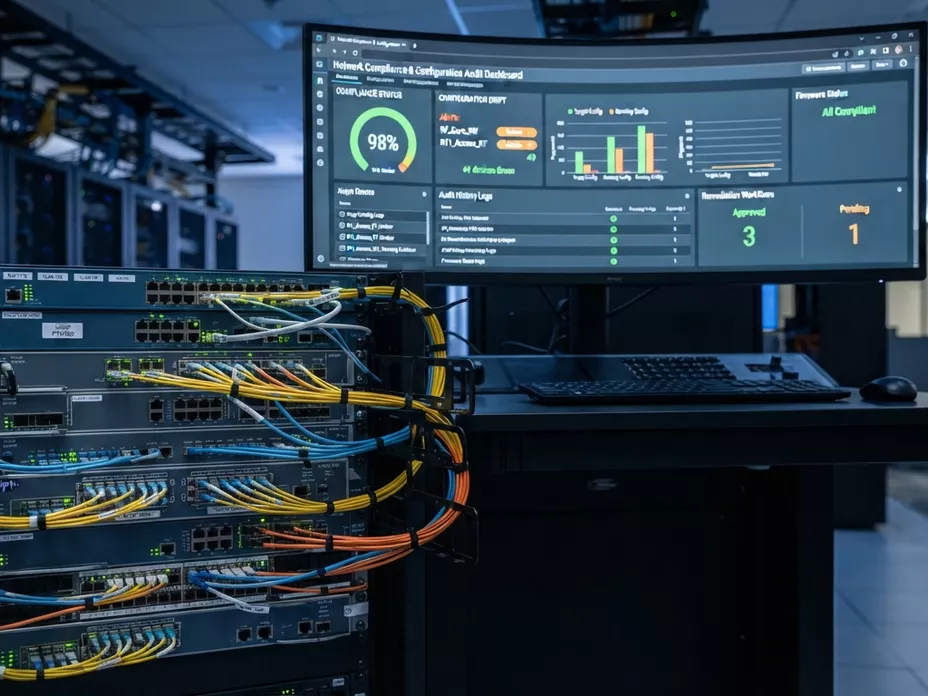
From a drift to its correction
What happens, in order, between a device leaving its expected configuration and coming back to it.
A reference to measure against
Each equipment profile has a reference configuration: the values a device of that profile is expected to hold. Nothing can be reported as a deviation until something says what it deviates from.
A comparison at every report
Each time a device reports, its configuration is compared with the reference for its profile. A compliance status is therefore as recent as the device’s last contact — the same date the supervision view shows next to it.
What gets flagged
Any parameter away from its expected value, and the checks that matter for security in particular: ports left open, default credentials still in place, firmware older than the version the profile expects.
A correction you approve
Nothing is changed for you. The fix is proposed as a workflow, approved by someone who holds that right, applied in batches and rolled back if a batch fails — and the audit log keeps who approved it, and when.
Ready to automate your customer equipment?
Discover how AutoConfigPro integrates into your architecture and accelerates your telecom operations.
Targeted analysis of your CPE fleet use cases
Detailed estimate based on your active equipment count
Architecture recommendations tailored to your sovereignty needs